Red Pill Go Hub
Installation
After downloading RedPillGoHubSetup.exe for Windows run it and follow the onscreen instructions.
User Interface
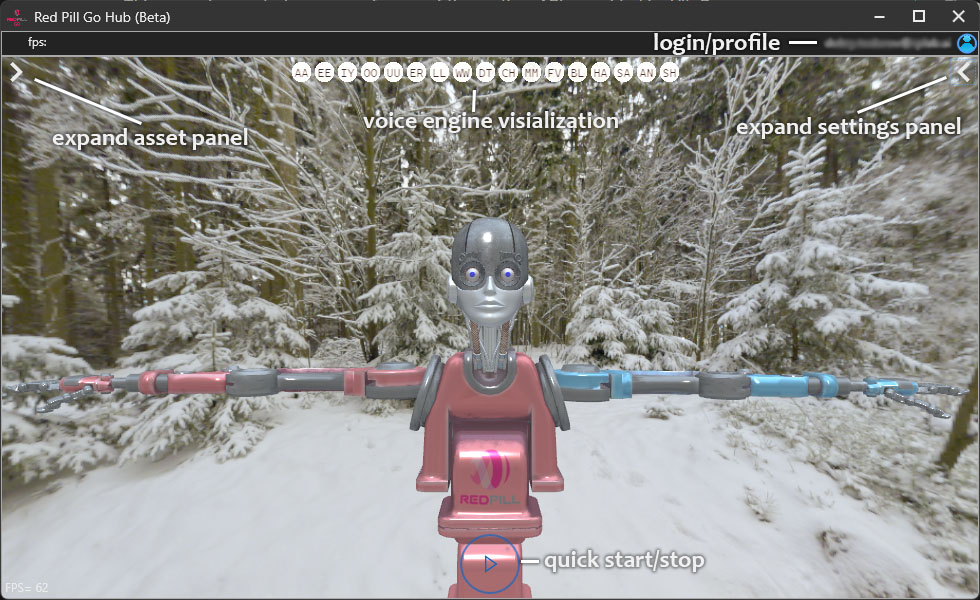
- "Expand settings panel" - to setup camera, microphone, tracking mode, etc.
- "Quick start/stop" - run motion capture with last settings applied
- "Expand settings panel" - change avatar and background
- "Voice engine visualization" - shows the predicted visemes of the lipsync module
- "Login/Profile" - user account section
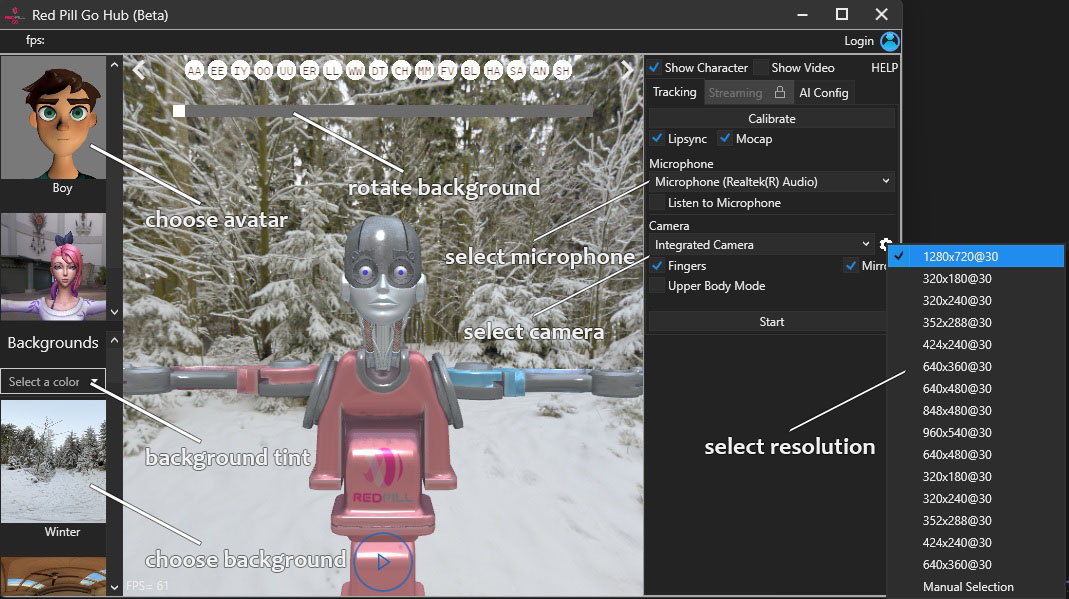
- "Rotate backgrounds" - rotates the 360° hdr background
- "Background tint" - set the background to a solid color
- "Show character" - toggles if the avatar and background will be rendered
- "Show video" - toggles if the camera video will be displayed
- "Calibrate" - resets tracking
- "Fingers" - whether or not to track fingers and wrists
- "Mirror" - flips the camera view horizontally
- "Upper Body Mode" - tracks only the upper body, suitable for sitting scenarios, in this mode it is not required to perform A-Pose and calibrate
- "Camera Settings (gear icon)" select camera resolution, press again after camera has started for additional camera specific properties
TIP
- if "Manual Selection" is checked additional camera setting panel will be displayed after - "Start" is pressed
- "Start/Stop" starts and stops the tracking
Motion Capture
- Expand the settings panel then choose which microphone and camera to use. To select the camera resolution click on the gear icon in the camera section. We recommend resolutions 720p or 1080p at 30 or 60 fps.
- Click "Start" button or "Play" icon found on the bottom middle side of the screen.
- For best results make sure the camera placed at a height about half your body height and is looking straight parallel to the floor.
- Stand in front of the camera allowing your full body to be in the frame.
- Perform A-Pose to initialize the tracking, as shown in the image below.
TIP
- the color of the 2d skeleton indicates the tracking status.
- gray - tracking is not initialized
- blue - A-Pose detected
- orange - tracking successfully
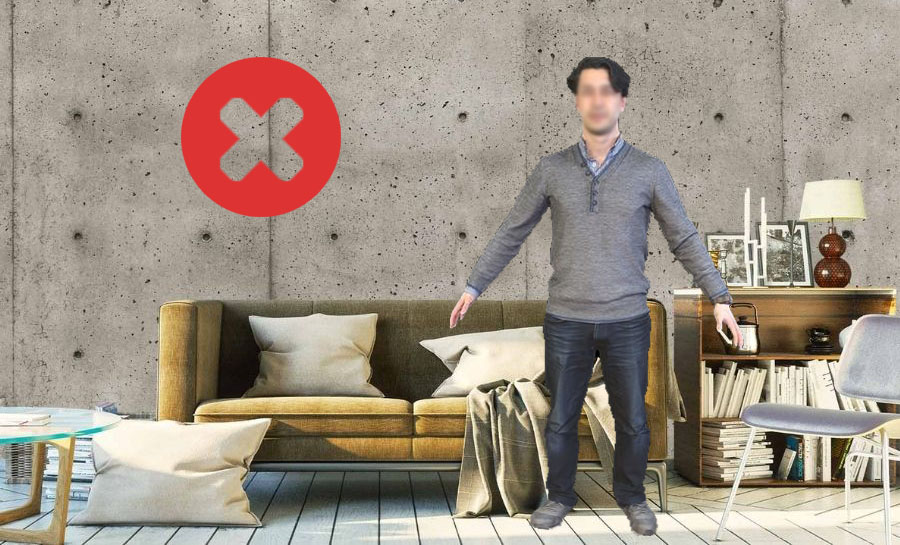
- For best results avoid performing on messy backgrounds or against direct bright light
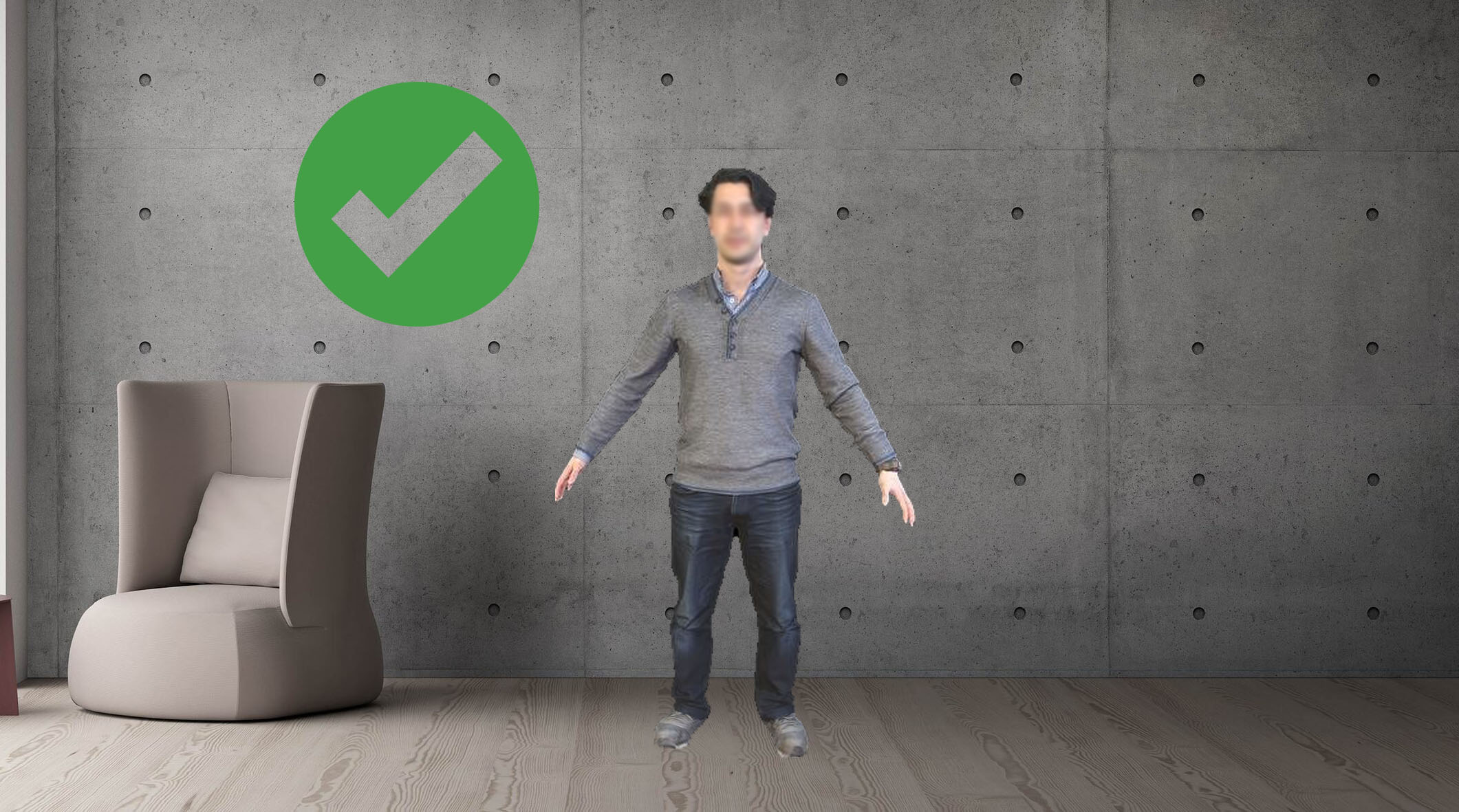
TIP
- some cameras provide low light compensation feature which may lower the frame rate and introduce severe motion blur
- to disable it click on the gear icon in the camera section while the camera is already running then uncheck "Camera Control/Low Light Compensation"

Streaming
Before you can stream the animation data or video you need to login with your account or create a new one and purchase a license.
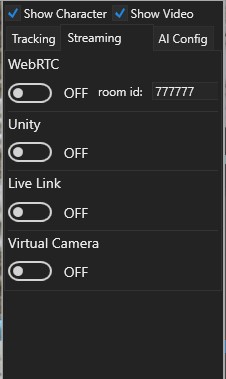
- "WebRTC" - streams the 3d animation and voice to go.rplab.online or Unity. If no room id specified one will be generated automatically, you can then paste this room id to go.rplab.online or Unity Plugin
- "Unity" - connection to Unity Plugin using RPLink. This options runs in local networks and doesn't require active internet connection.
- "Live Link" - streams the 3d animation to Unreal Engine 5 using Live Link. The data format is the default Mannequin skeleton for the body and ARKit spec for the face. We also include the raw viseme predictions from our lip-sync module: "AA","EE","IY","OO","UU","ER","LL","WW","DTS","CH","MBP","FV","BLINK","HAPPY","SAD","ANGRY","SHOCK".
- "Virtual Camera" - when you install Red Pill Go Hub a new virtual camera device called RedPill-Camera is added to you system. When the Virtual Camera toggle is enabled this camera will display your live animation. The video resolution is 1280x720 in YUY2 pixel format. You can use this camera in video conferencing apps or websites such as meet, zoom, teams, etc. or broadcasting software such as OBS.
Advanced settings
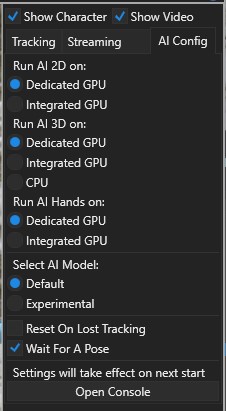
Depending on the specifications of your computer you may want to split the AI processing between multiple GPUs on CPU.
-Experiment with the setting to find the best performance for your specific hardware.
- "Reset On Lost Tracking" - if this option is enabled you will have to perform A-Pose calibration every time when the tracked person exit and enter frame.
- "Wait For A Pose" - if this option is disabled tracking will start as soon as a full body is detected, the tracking quality may not be as good as when calibrated with A-Pose.
Tutorial