Red Pill Go Unity Plugin
Installation
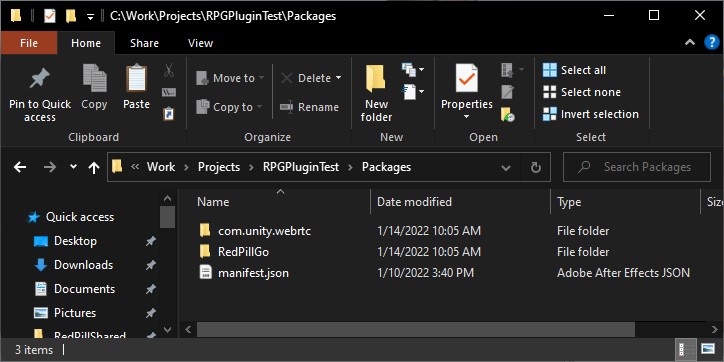
- Unzip RedPillGoPlugin.zip in your Unity’s project Packages folder
Setup
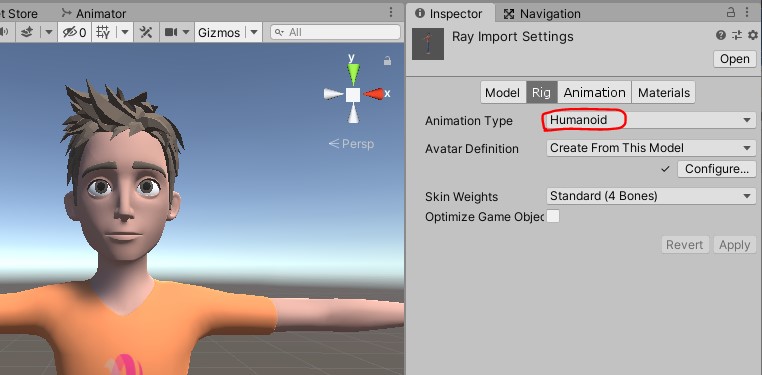
- Setup your character as a Humanoid Rig
- Attach Motion Retargeter Component to your character. Web RTC Connection and Audio Source will be attached automatically.
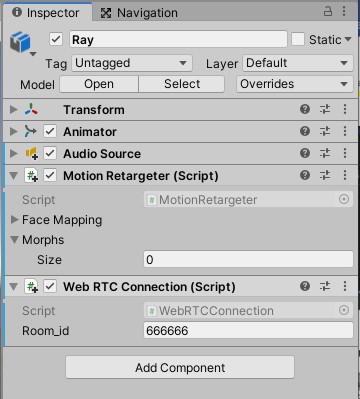
- Set Room_id to your device’s is (see under the box) in the Web RTC Connection component
TIP
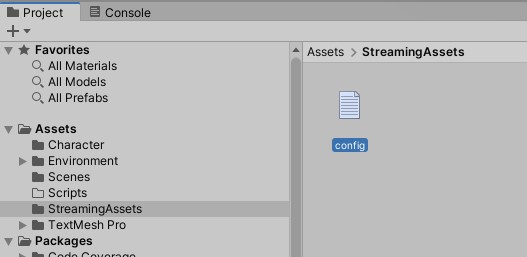
Alternatively you can use a config file to store the room id, allowing to change the room id without rebuilding. Create StreamingAssets folder and config.txt file in it. Save to room id in the file.
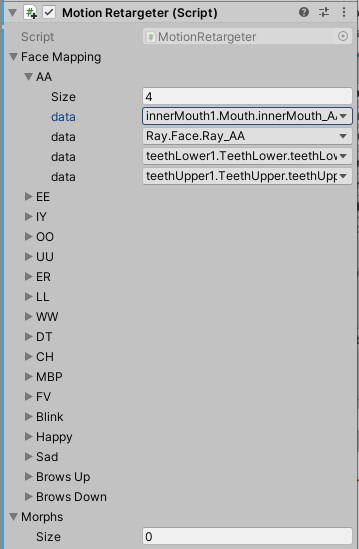
- Link each Morph in the Face Mapping list to your character blendshapes
Project Settings
- Set Audio DSP Buffer Size to Best latency to reduce audio delay

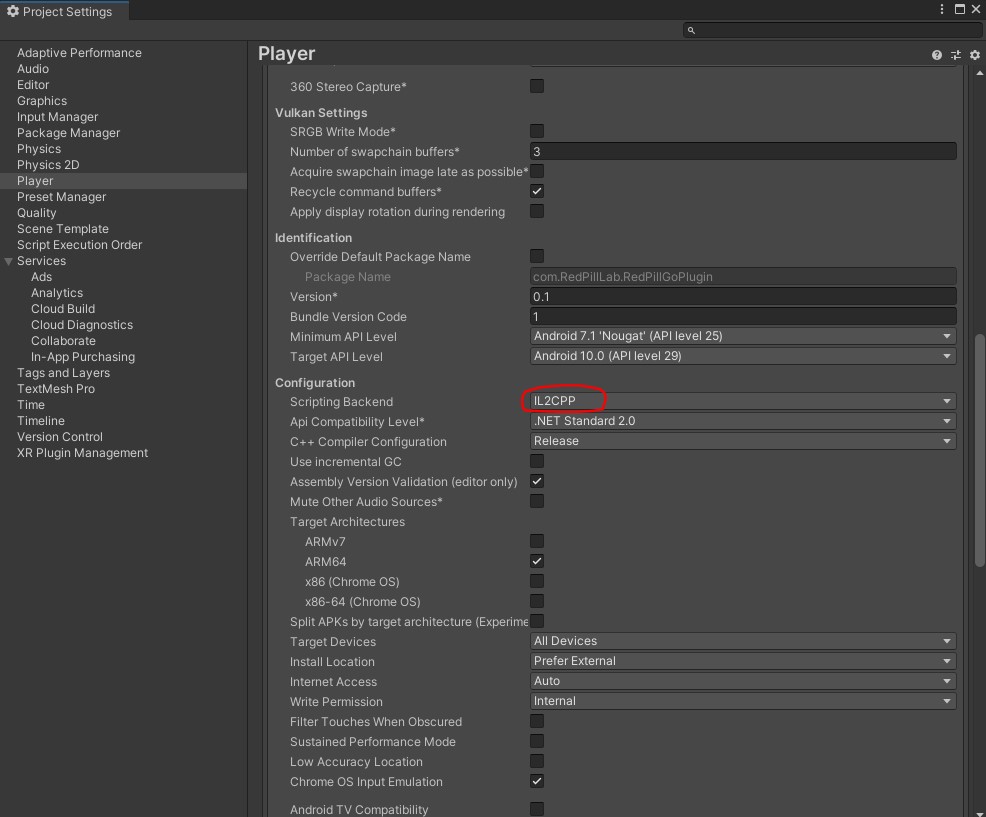
- When building for Android set the Scripting Backend to IL2CPP in Project Settings/Player/Other Settings/Configuration
Calibrate A-Pose
- If lost tracking you can trigger a calibration event by calling Calibrate() method on the WebRTCConnection component. For example add a button to a UI Canvas, in the button On Click event attach your character object and for function select WebRTCConnection.Calibrate

RPLink
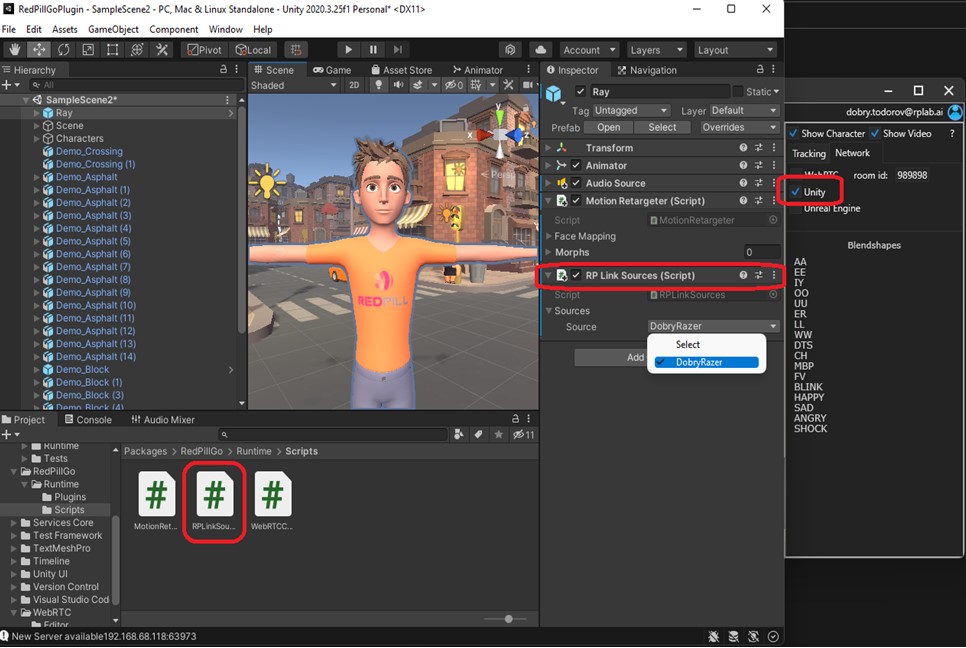
Using RPLink to connect RedPillGoHub and Unity through Socket in local network:
- Add RPLinkSources component to the character, disable or remove WebRTCConnection component.
- Launch RedPillGoHub and check Unity in the Streaming tab.
- New Source will appear under sources in RPLinkSources in Unity
- Select the desired source and Run the game in Editor or Build it